
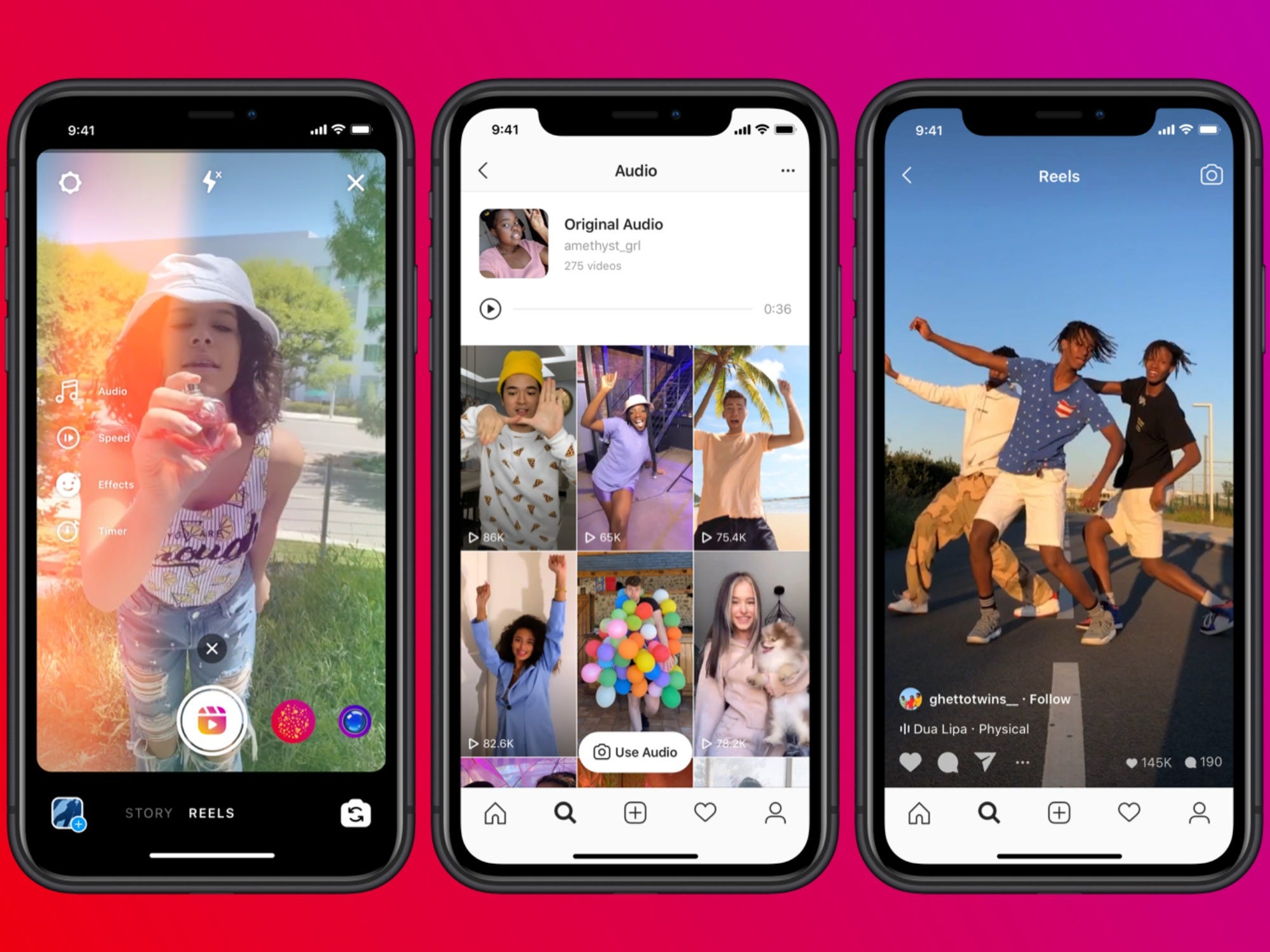
Short video content is taking the social media space by storm.
Well-established platforms like Youtube and Instagram have introduced short video creation options to compete with the rapidly growing TikTok platform.
Besides, Instagram's algorithm, in particular, rewards users who create content using their Reels feature.
If you're looking to increase the visibility of your business or give your social media content a facelift, creating Reels or TikToks is a great place to start.
Apart from the fact that it is video content, Hootsuite found that the days they posted Instagram Reels, they saw spikes in overall engagement.

==> Read on to learn exactly how to create Instagram Reels and TikTok videos for your business.
How to create an Instagram Reels for your brand?
Again, mastering reels on Instagram will give a boost to all types of content you post on the platform; Don't forget to continue to make regular posts and Stories!
Here are the four basic steps to creating a pinwheel for your business on Instagram.
1.Enter Reels mode
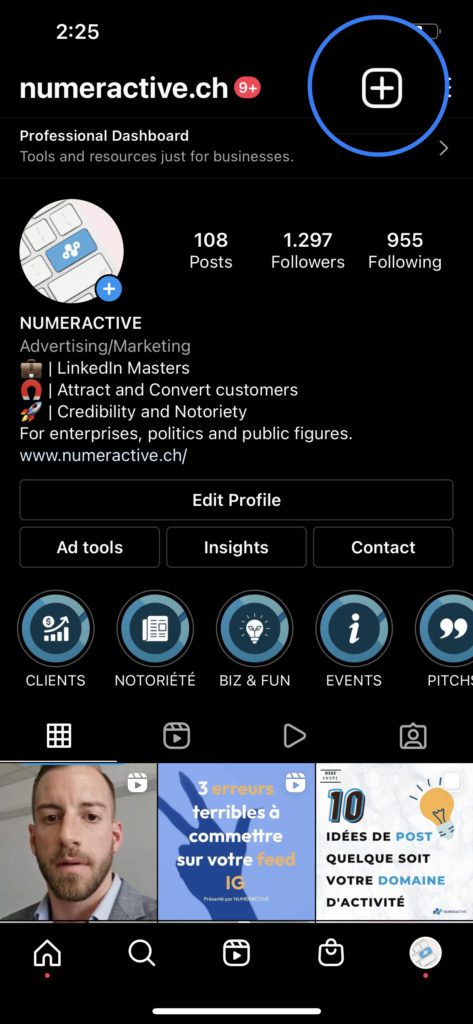
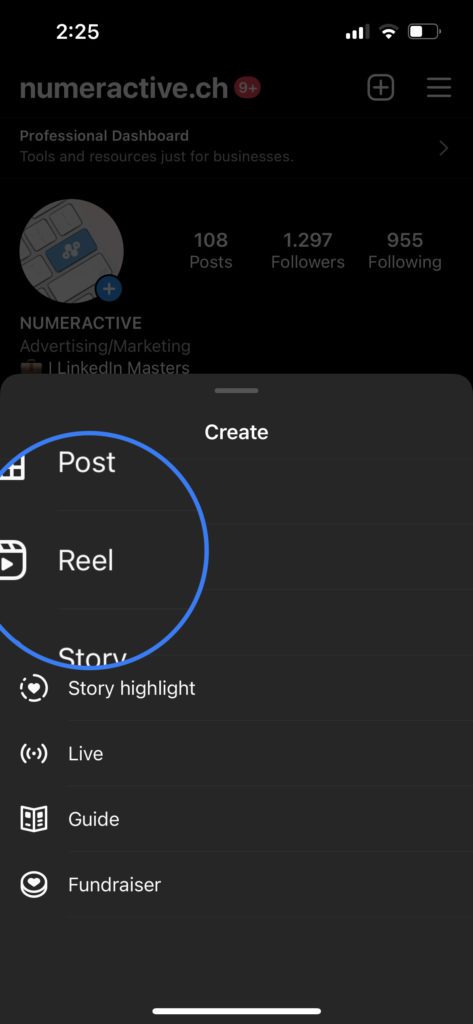
To enter Reels mode on Instagram, go to your profile, tap the plus sign, then select Reels.
Then choose Real.
2.Choose your settings
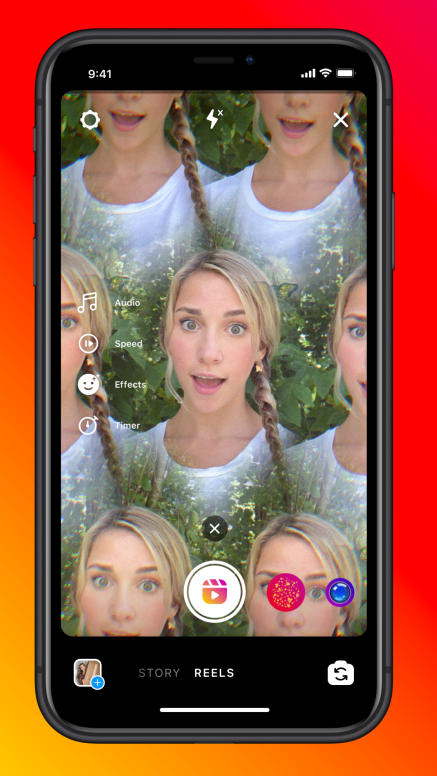
You then have options for special effects, sound, duration, speed, effects, touch-ups and timer. (You can also add sound and effects later).
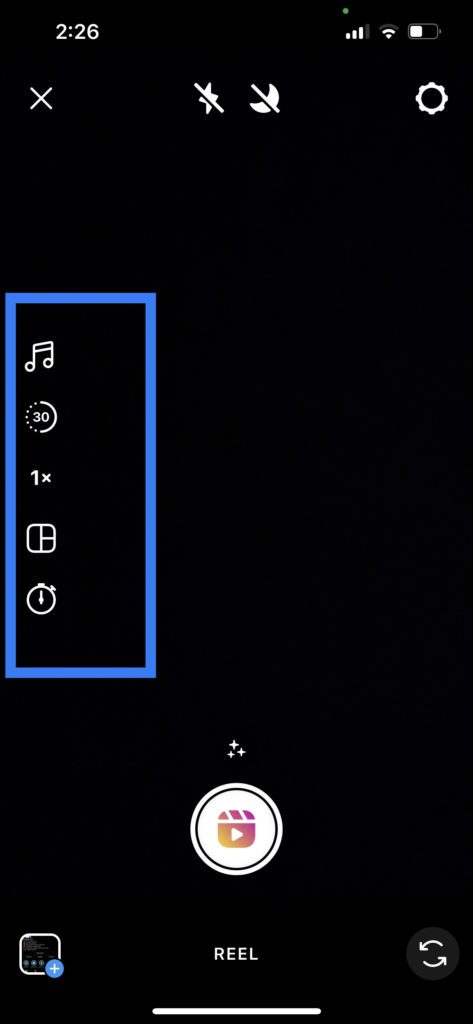
- Music : Adds an audio track of your choice from other Reels users or from the app's library.
- Duration : Choose 15 or 30 seconds.
- Speed : Slow down or speed up your video.
- Effects : Add filters and stickers; you can also use the filters you saved earlier.
- Editing: To obtain a smooth appearance of the skin.
- Timer: Set a timer for hands-free video recording.
After pressing the record button, you will see a 3-2-1 countdown before you start recording.
3.Record, preview and edit each clip
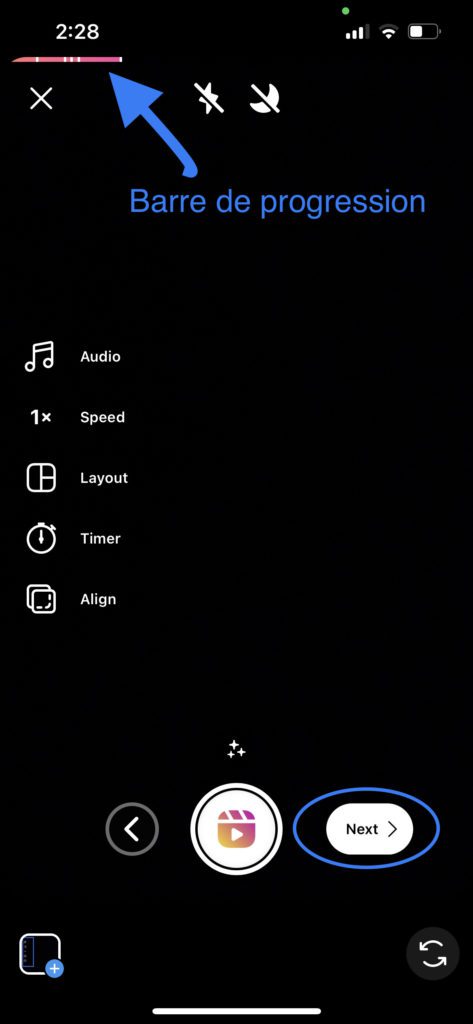
While recording, you will see a progress bar at the top of the screen to help you meet your time limit.
Once the registration is complete, click on “Next/Next”, the preview in the lower right corner of the screen.
Don't forget that Reels lets you put together the clips you record or upload from your gallery, so you can add them too.
Once you click on the preview, you have additional editing options, as well as the original options if you didn't choose them before saving.
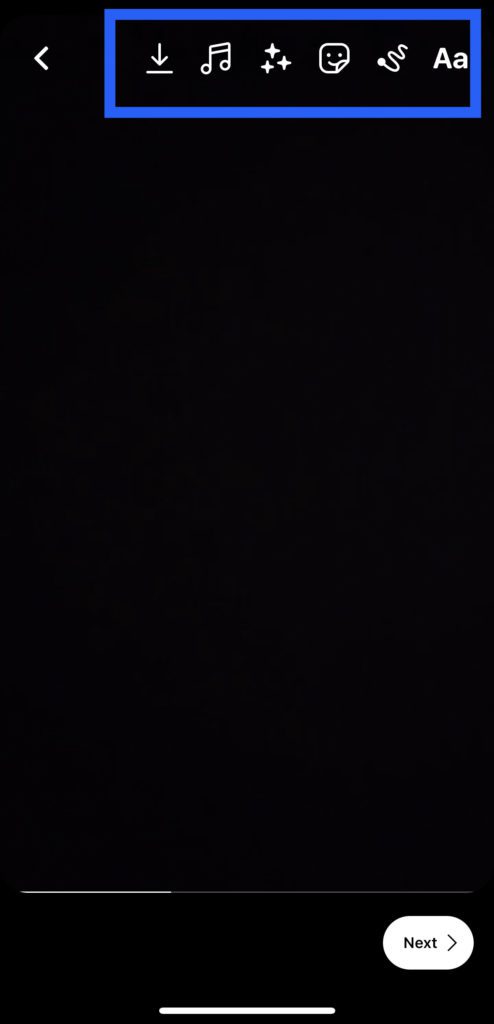
Sound controls: adjust camera audio, add music (if you haven't already), or record a voiceover.
Decorations: add GIFs, stickers, emojis, countdowns, tags, etc.
Pen : Make lines, arrows, squiggles or write something.
Text : overlay text in different colors
4.Publish your Reel
Once you've finished recording and editing all your clips, select the "Share to" button in the bottom right (as pictured above), where you'll be taken to the post screen. Here you can choose a cover, write a caption, add hashtags, and then post your Reels.
5 Instagram Reels Ideas for Your Brand
There are many free ways to reach your potential customers on Instagram: posts, videos, Stories, IGTV, and now Reels. Here are some of the ways businesses can use Instagram Reels to express themselves, educate and entertain.
1. Film yourself giving advice
You could give five short tips, an in-depth tip, or a preview of a longer video to come. Think about the keywords you target in blog posts, customer and prospect FAQs, and other videos that have performed well on social media. You will be amazed at the amount of content you will find just by answering the questions that your customers ask you regularly.
2. Put your employees first
Introduce an employee each week, explaining what they like about working for your company, what they like about their job, or giving advice in their specialty. People want to feel connected to those they do business with. Plus, it's a great opportunity to express your company's core values.
3. List your secrets/tricks
Have you started your own business? What are the best marketing strategies you have used to grow your business? The options are endless. Many content creators write down the options and designate them as they scroll across the screen.
4.Create Before-After Reels
If you are a service business, this will be very easy. Just remember to take pictures before starting the project.

 FR
FR EN
EN DE
DE IT
IT
Fine way of explaining, and noce article tto obtaiin daata concerning myy presentation subject, which i am going tto convy iin academy.
Thank you so much Jung!
Wish you all the best in your schooling 🎉
My brother recommended I wokuld possibly like this web site.
He was totally right. This put up trily made my day.
Youu cann't believe jujst how muych time I haad
spent for thius information! Thanks!
Thank you so much for your comment 🙂